Receipts read on device
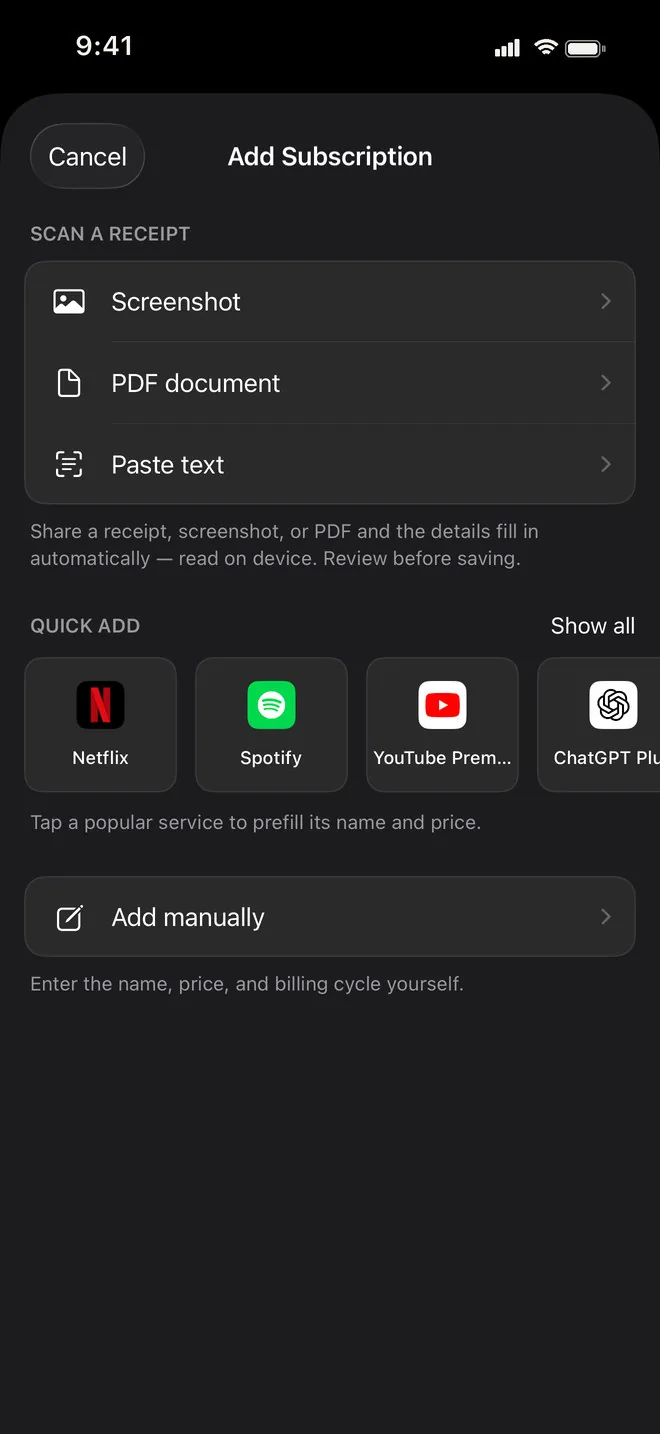
Share a screenshot, a PDF or a block of text. Renewly fills in the service, price, billing cycle and next charge, and you check it before saving.
For iPhone & iPad
Renewly keeps all your subscriptions in one list, adds up what they cost each month and each year, and reminds you a few days before every charge. Receipts are read on your phone. No account, no bank login.
Download on the App StoreFree for up to 5 subscriptions. Pro is one payment, not a subscription.
Features
Share a screenshot, a PDF or a block of text. Renewly fills in the service, price, billing cycle and next charge, and you check it before saving.
Seven, three or one day ahead, any combination, at the time of day you choose. A renewal never shows up first on your bank statement.
Mark a subscription as a trial and Renewly warns you before it ends, so you can cancel before the first real payment.
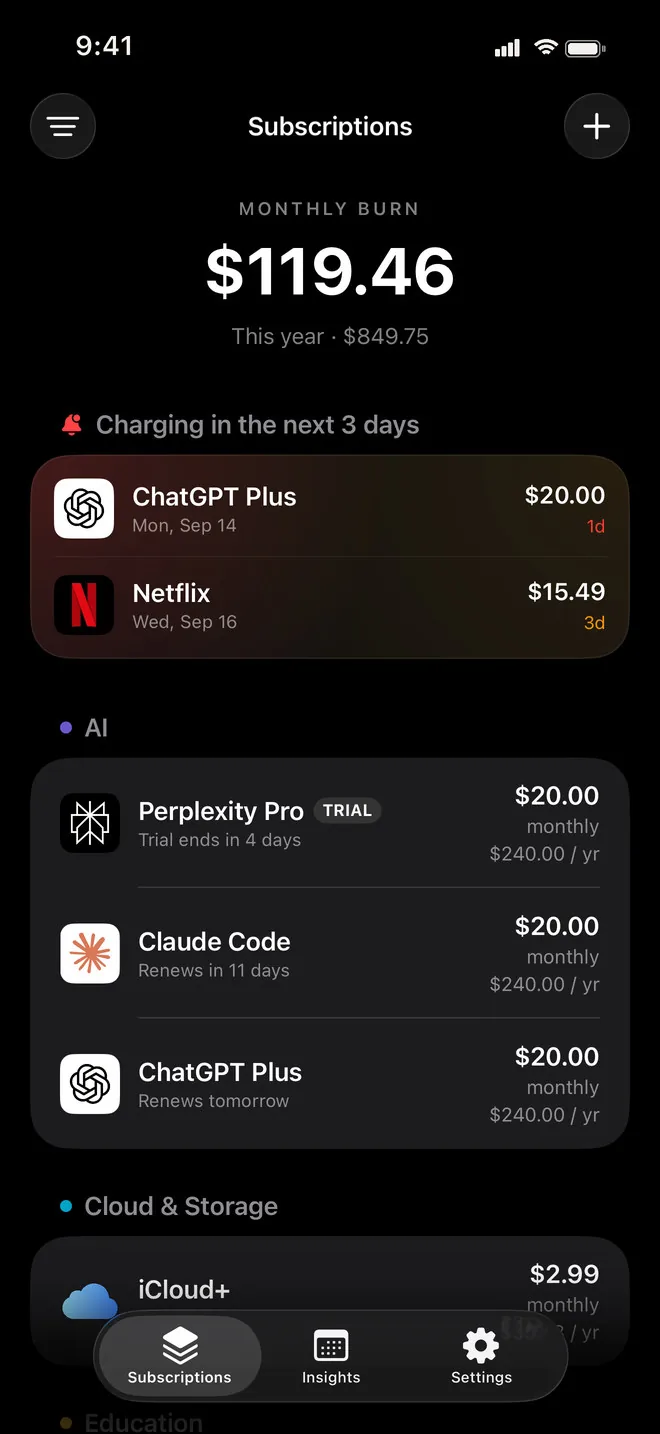
The total you pay every month, the cost for the year, and what charges in the next three days, grouped by category.
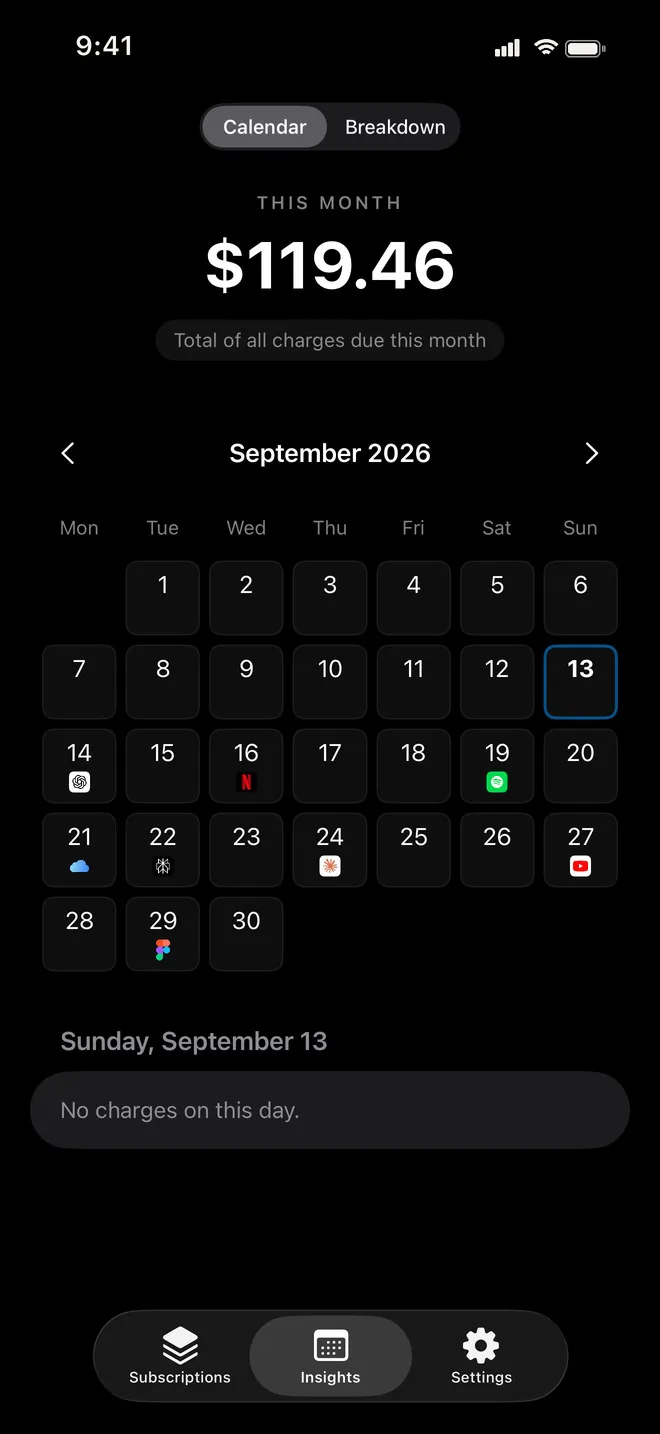
Each month as a grid with the service logo on the day it charges. Tap a day to see what is due and how much.
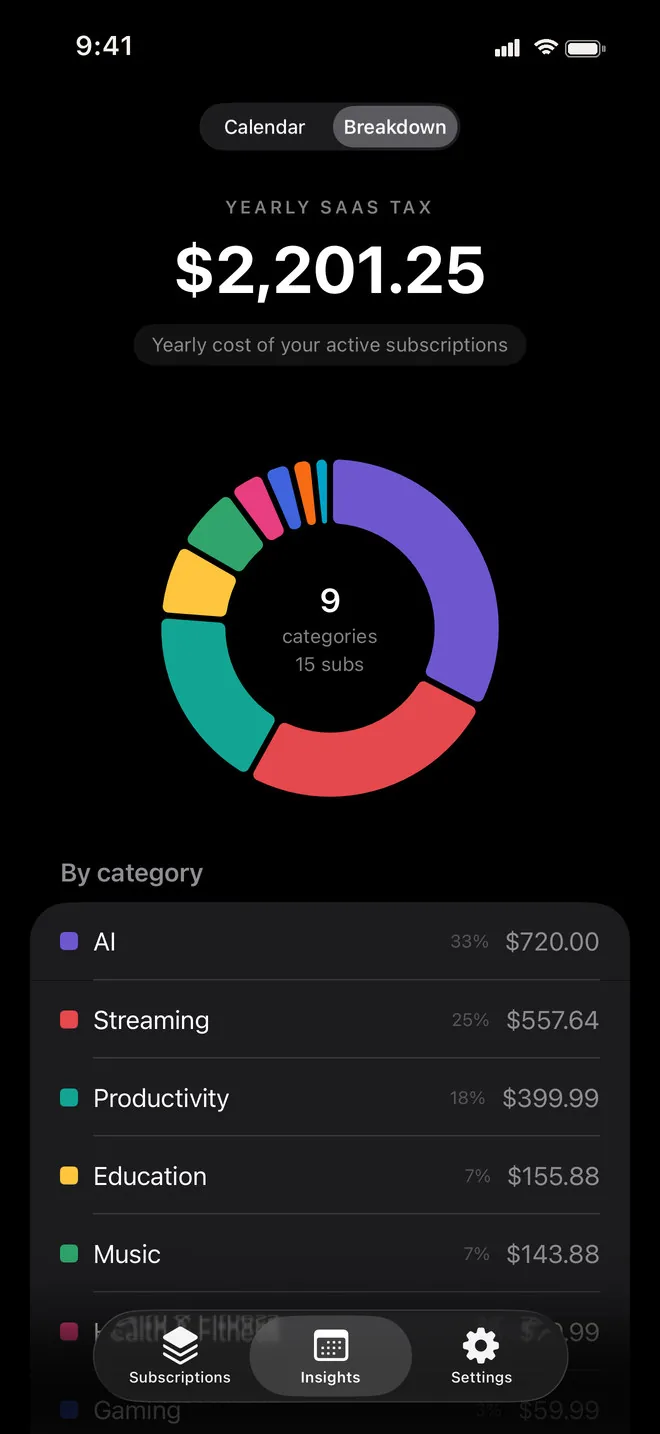
Your yearly "SaaS tax" as a donut: AI, streaming, music, cloud and the rest, with the share and the sum of each.
Keep each subscription in the currency you are billed in. Totals are converted into the base currency you pick.
The next charges on your home screen, in small or medium size, with days left on any trial.
Nothing to sign up for and no access to your bank or email. You add what you pay for, and it stays yours.
Monthly burn
Tap the ones you pay for. The total is the same sum Renewly puts at the top of your list, and the donut is its yearly breakdown by category.
Typical US price per month
Prices are typical US list prices for a standard monthly plan and differ by country, plan and taxes. In Renewly you enter what you actually pay.
Monthly burn
$66.96
5 subscriptions
Renewly does this with your real prices and dates, in your currency, and reminds you before each of those charges.
Receipt capture
Send a receipt to Renewly from the share sheet in Mail, Photos or Files, or pick it inside the app. The text is read on your device and turned into a subscription you can edit before it is saved.
Calendar & reminders
The calendar puts every charge on its day, with the month's total above it. The reminders do the rest: a notification a few days before each renewal and before each free trial ends.
Breakdown
Monthly prices hide the size of the bill. The breakdown shows the year: how much goes to AI tools, to streaming, to storage, and which category has quietly grown.
Pay once
Charging monthly to track your monthly charges would be a little insulting. Renewly is free for up to five subscriptions, with every screen and every reminder. Pro is a single payment that lifts the limit and adds custom categories and CSV export.
FAQ
Share a screenshot, a PDF or copied text with Renewly, or pick one in the Add sheet. The text is pulled out on your device, then Apple Intelligence (or the built-in reader on devices without it) fills in the service, price, billing cycle and next charge date. You review the card and save it. The receipt is not uploaded anywhere.
No. On devices with Apple Intelligence turned on it does the reading. On other devices Renewly's own on-device reader takes a first pass and you correct what it missed. Adding by hand or from the list of popular services works everywhere.
No. There is no bank linking, no inbox access and no account to create. Renewly only knows what you add to it.
Free covers up to 5 active subscriptions with every screen: the list, calendar, breakdown, reminders, trial alerts, receipt capture and the widget. Pro removes the limit and adds custom categories and CSV export. It is a one-time purchase, and the price is shown in the app in your currency.
No. Renewly tells you what is coming and when, so you can cancel with the service itself in time. It never touches your accounts or payments.
Yes. Each subscription keeps its own currency, and the totals are converted into the base currency you set in Settings. Exchange rates are downloaded from the internet; the request carries no information about your subscriptions.
iPhone and iPad with iOS 26 or later.
The app speaks 31 languages, including English, German, French, Spanish, Italian, Portuguese, Russian, Ukrainian, Polish, Turkish, Arabic, Hebrew, Hindi, Thai, Vietnamese, Indonesian, Japanese, Korean and both Simplified and Traditional Chinese. You can switch the language inside the app, separately from your phone.
More apps
Clean, focused tools built for everyday life on iPhone.
 Skyward
Tells you when and where to look tonight — meteor showers, the Moon and planets for your city — with a sky map you hold up to the sky.
Skyward
Tells you when and where to look tonight — meteor showers, the Moon and planets for your city — with a sky map you hold up to the sky.
 Quitwell
Counts the days without it — alcohol, nicotine, vaping or anything you decided to leave behind — with milestones and the money you keep.
Quitwell
Counts the days without it — alcohol, nicotine, vaping or anything you decided to leave behind — with milestones and the money you keep.
 Revera
Restores old photographs — colour, tears and scratches — and leaves the face exactly as it was.
Revera
Restores old photographs — colour, tears and scratches — and leaves the face exactly as it was.
 Surfbreak
Surf forecast for 183 spots across Indonesia — then your Apple Watch counts every wave you ride.
Surfbreak
Surf forecast for 183 spots across Indonesia — then your Apple Watch counts every wave you ride.
 RopeFlow
Jump rope workouts with automatic jump counting, XP, streaks and achievements — for iPhone and Apple Watch.
RopeFlow
Jump rope workouts with automatic jump counting, XP, streaks and achievements — for iPhone and Apple Watch.
 Borderlog
Counts your days in every country — Schengen 90/180, 183-day tax residency and visa rules for 200+ countries.
Borderlog
Counts your days in every country — Schengen 90/180, 183-day tax residency and visa rules for 200+ countries.
 iCurrency
Currency converter for 160+ currencies and top crypto with live rates and offline mode.
iCurrency
Currency converter for 160+ currencies and top crypto with live rates and offline mode.
 Followly
See who unfollowed you on Instagram — track followers, ghosts and non-followers, privately on your device.
Followly
See who unfollowed you on Instagram — track followers, ghosts and non-followers, privately on your device.
 iHabits
Build lasting habits with streaks, a year heatmap and interactive home screen widgets.
iHabits
Build lasting habits with streaks, a year heatmap and interactive home screen widgets.
 Hale
Calm anxiety in 60 seconds with guided breathing, a quiet voice and gentle haptics.
Hale
Calm anxiety in 60 seconds with guided breathing, a quiet voice and gentle haptics.
 Voca
Record meetings and interviews — Voca marks who said what and pulls out the tasks.
Voca
Record meetings and interviews — Voca marks who said what and pulls out the tasks.
Download Renewly and put every subscription in one place.
Download on the App Store